
See NextiaInvoices at work, one feature at a time.
Short videos of what the app does, each with a link to the guide that teaches it step by step.
-
 Video coming soon
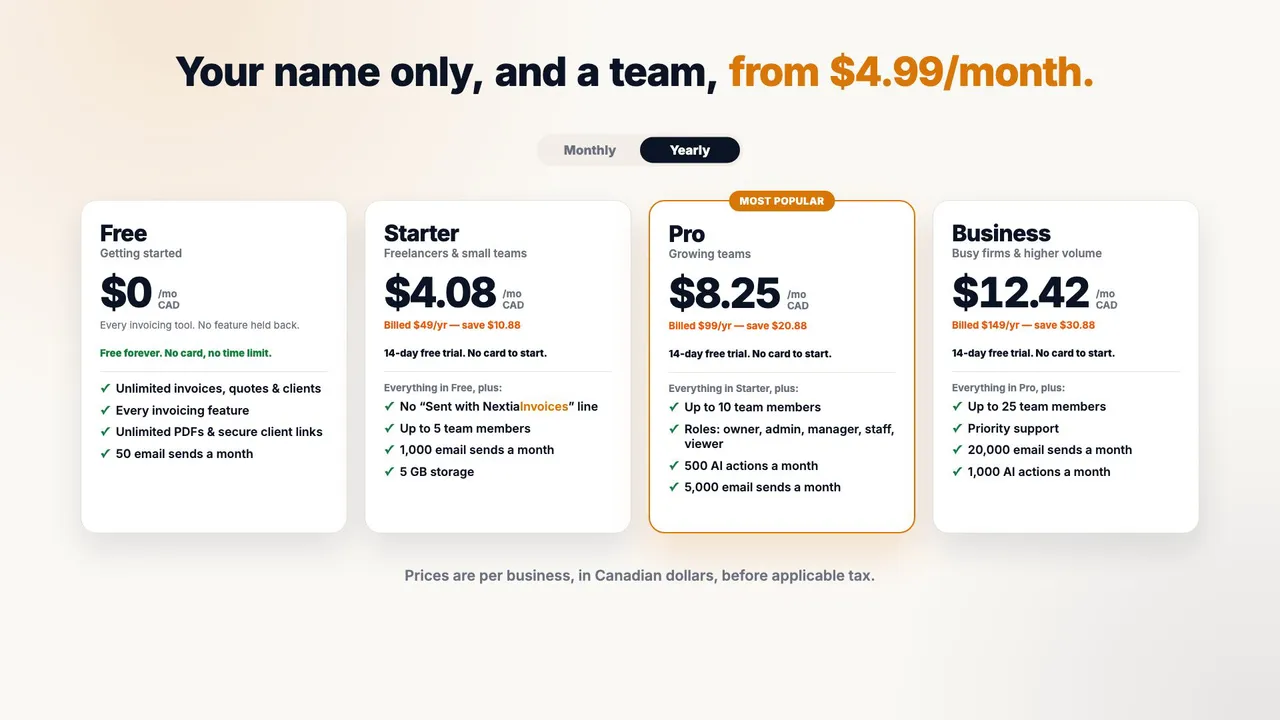
Free to start: invoice for free, upgrade when you need to
The video lays out NextiaInvoices' plans: the Free plan with every invoicing tool, from quotes accepted online and recurring invoices to reminders, the client portal and AI drafting; then Starter, Pro and Business with monthly or yearly billing, and the free Pro trial. When the trial ends, the business moves to Free, with nothing charged and every invoice and client kept. It ends on the NextiaBusiness Suite.
-
 Video coming soon
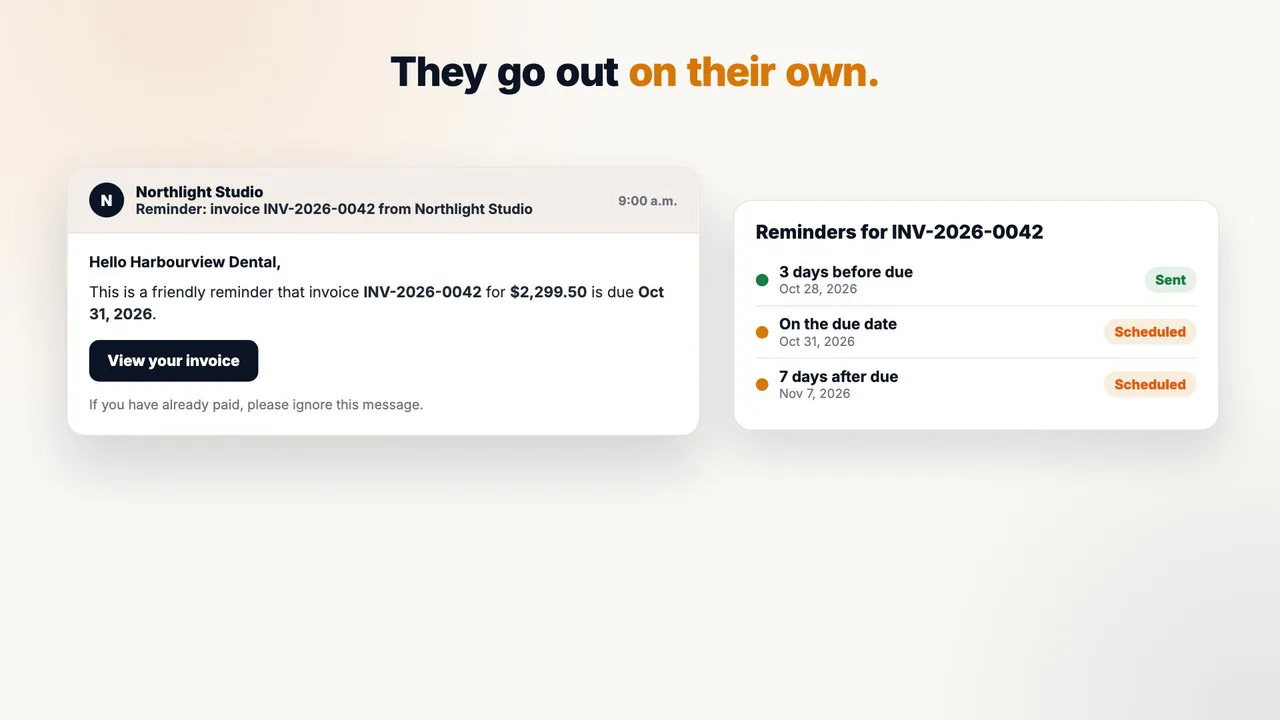
Reminders, handled: automatic payment reminders
In Business settings, three payment reminders are switched on: three days before the due date, on the due date and seven days after, with quiet hours overnight. The client gets a polite reminder email with a link to the invoice. Once you record their e-Transfer payment, the invoice reads Paid and no more reminders go out. The dashboard then shows what's invoiced, paid, outstanding and overdue.
-
 Video coming soon
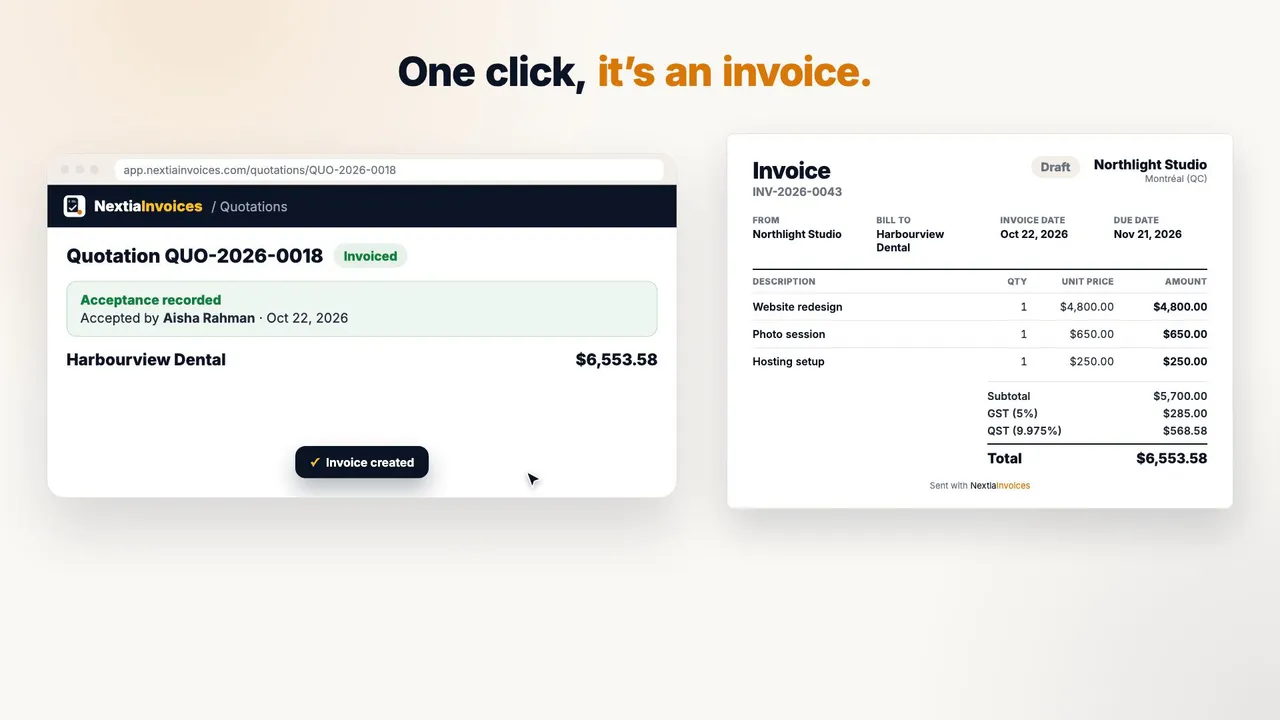
Quote it, invoice it: from accepted quote to invoice in one click
A quotation for a website redesign is sent to the client, who opens it in the browser, types their name and accepts it online. Back in NextiaInvoices, the acceptance is recorded, and Convert to invoice turns it into a draft invoice with the same lines, with the quotation kept and linked. The video closes on deposits, part payments, credit notes and receipts.
-
 Video coming soon
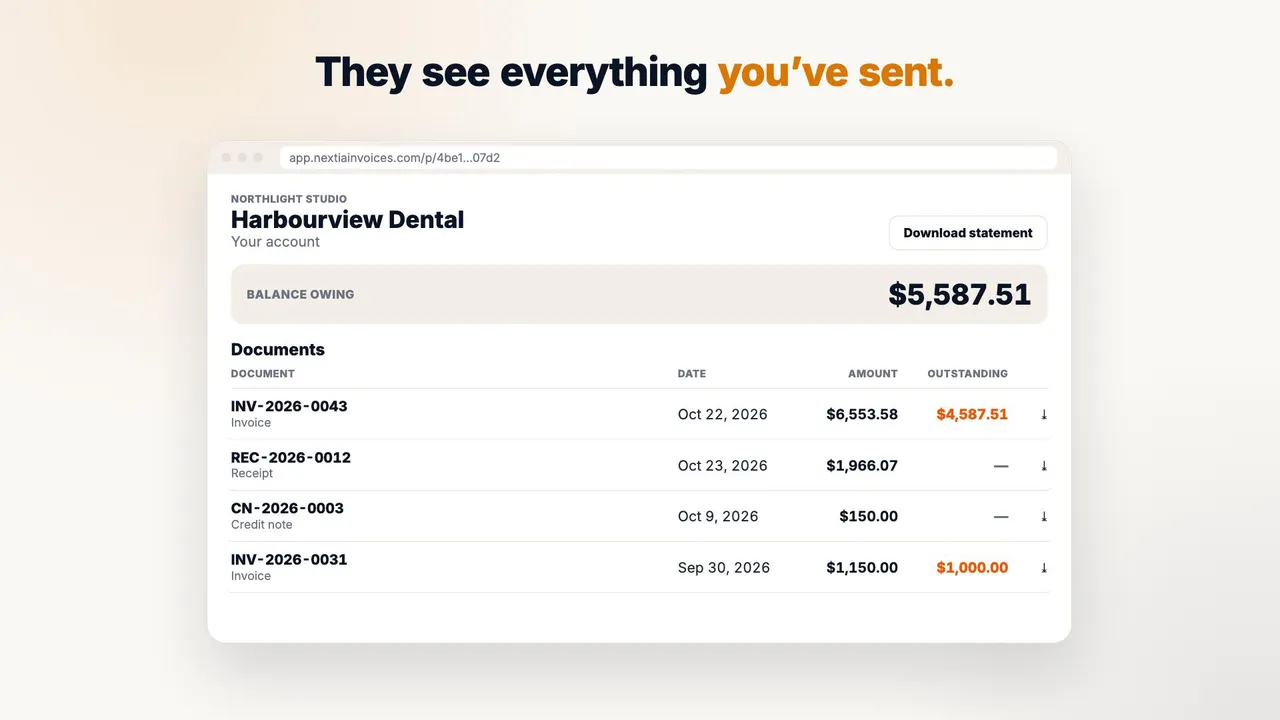
One link, every document: the client portal
From a client's record you issue one secure portal link to copy and send; it can be revoked and needs no account. Through it the client sees their balance and every invoice, receipt and credit note you've sent, with PDFs and a statement to download. The pay button leads to where they already pay you: your card payment page, Interac e-Transfer or bank transfer. NextiaInvoices doesn't process payments itself.
-
 Video coming soon
Their language, every time: a document language for each client
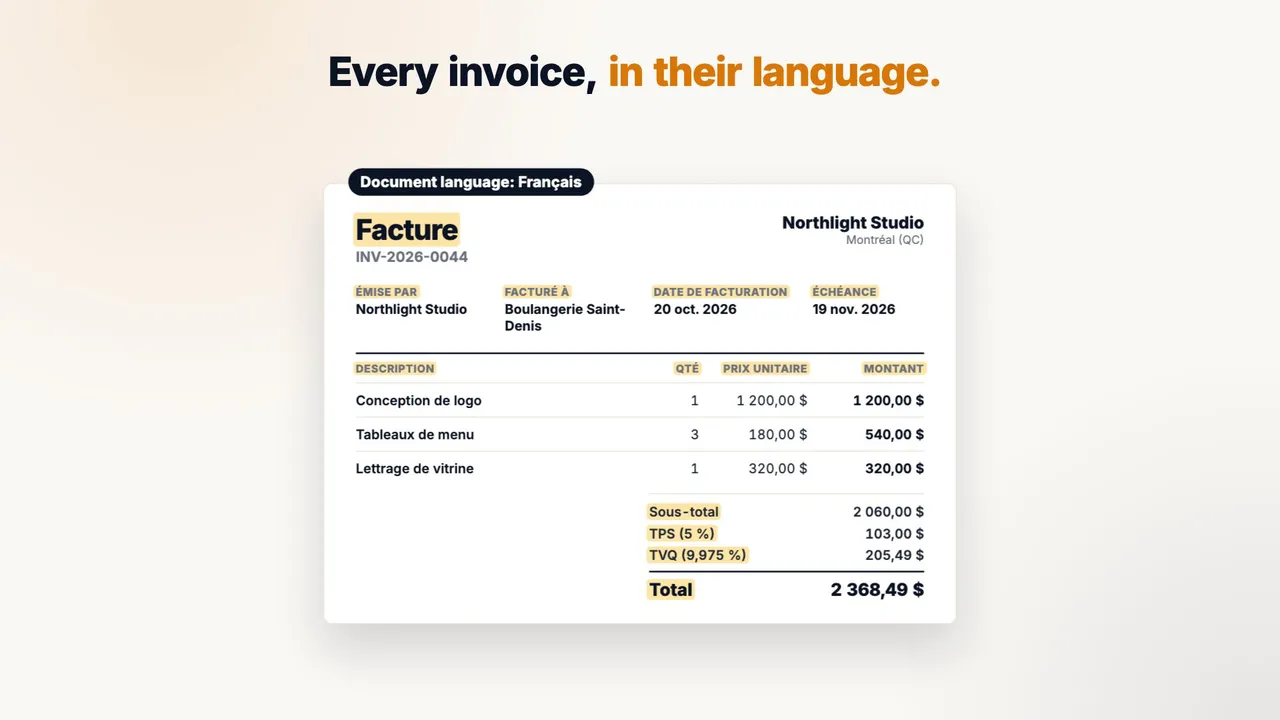
On a client's record you set the document language once, English or French. Their invoices then come out in that language, from titles and column labels to GST and QST shown as TPS and TVQ, with amounts formatted to match. So do their emails, reminders and client pages, whoever sends them, while your app stays in your language. Tax rates are stored exactly, such as 9.975%.
-
 Video coming soon
Describe it, it's drafted: invoice lines suggested by AI
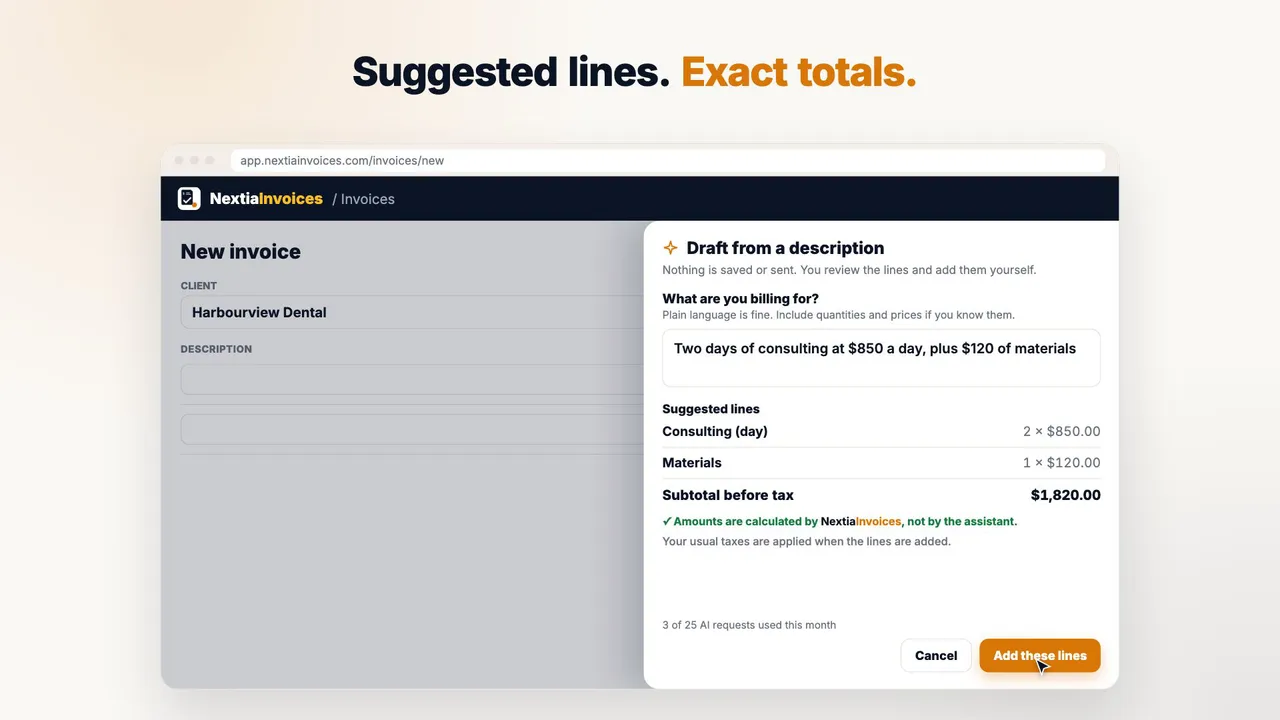
On a new invoice, Draft with AI opens a panel where you describe the work, for example two days of consulting plus materials. It suggests lines with quantities and unit prices, and NextiaInvoices, not the assistant, works out the amounts. The lines go into the draft with your usual taxes, for you to review and send. Nothing is saved or sent without you, and AI requests are processed in Canada.
-
 Video coming soon
Your team, your rules: invite your team, each with their own sign-in
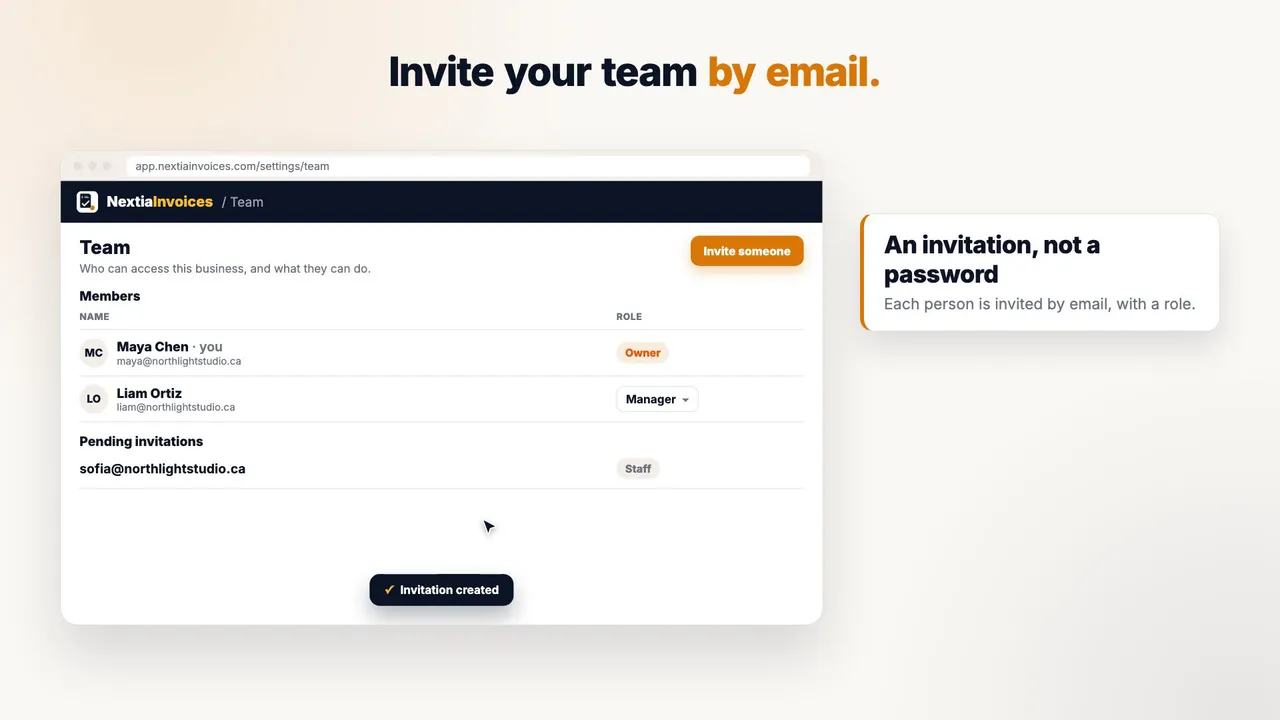
From the Team page you invite someone by email and pick a role, such as Staff, instead of sharing a password. They accept the invitation and sign in with their own Nextia account, through Google, Microsoft, Apple or email. Later you change a member's role from Staff to Viewer, so they can view but not edit. Roles and the number of team members depend on your plan.
Your first invoice in under five minutes, from opening day.
Set up your business, add a service, and bill a client — all before your coffee gets cold.
Free plan, forever · 14-day Pro trial, no credit card · Nothing locked or deleted when it ends