
Built for the invoice, not the ledger.
Every capability below exists to get a professional document in front of your client and the money into your account. Nothing here asks you to understand double-entry bookkeeping.
The invoice, done properly.
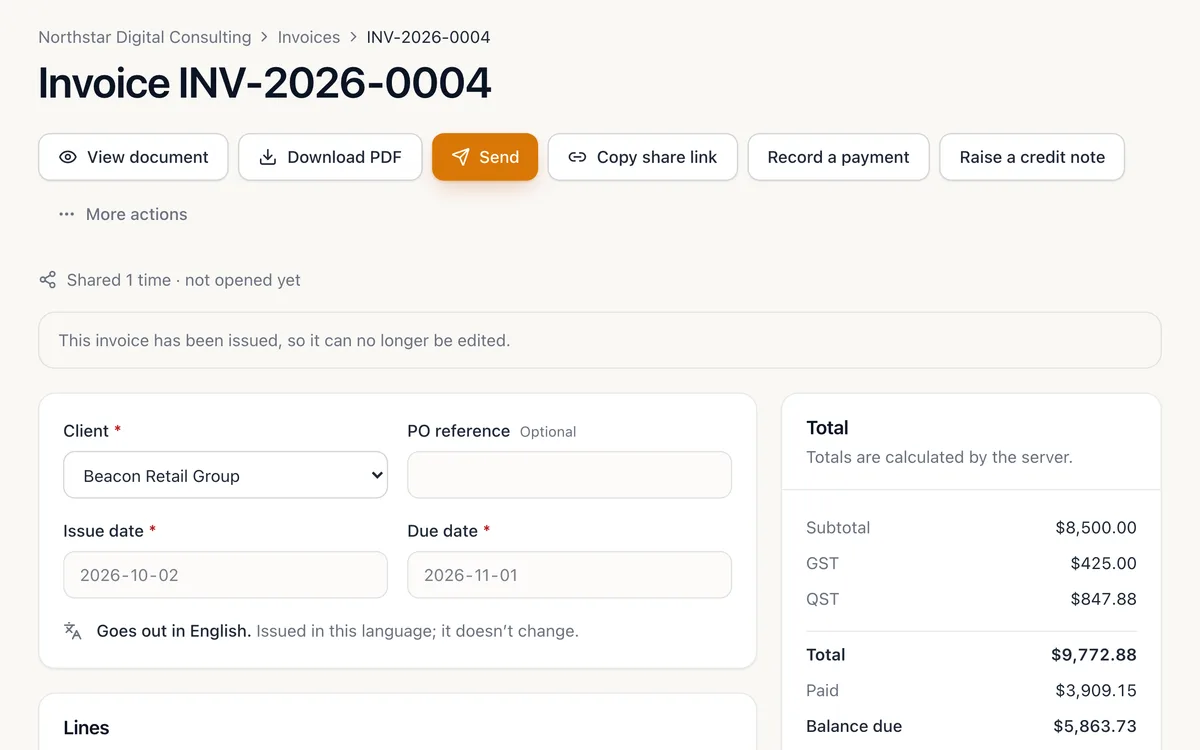
Build an invoice from your saved services, adjust any line, and watch taxes and totals resolve as you type. Issue it and the document locks — corrections go through credit notes and a recorded trail, never a silent edit.
-
Line items that behave
Quantity, unit, unit price, discounts and per-line taxes. Change a price on one invoice without touching your catalogue.
-
Numbering you control
Prefix, starting number and year segment, per business. Two people issuing at once can never collide on a number.
-
Deposits and partial payments
Ask for a deposit, record what arrives — e-transfer, cheque, card or cash — and the balance stays right. Send a receipt when it is paid.
-
Credit notes and write-offs
Raise a credit note against an issued invoice, record a refund or write off a balance. Each one is its own document with its own number.
Quote it, win it, convert it.
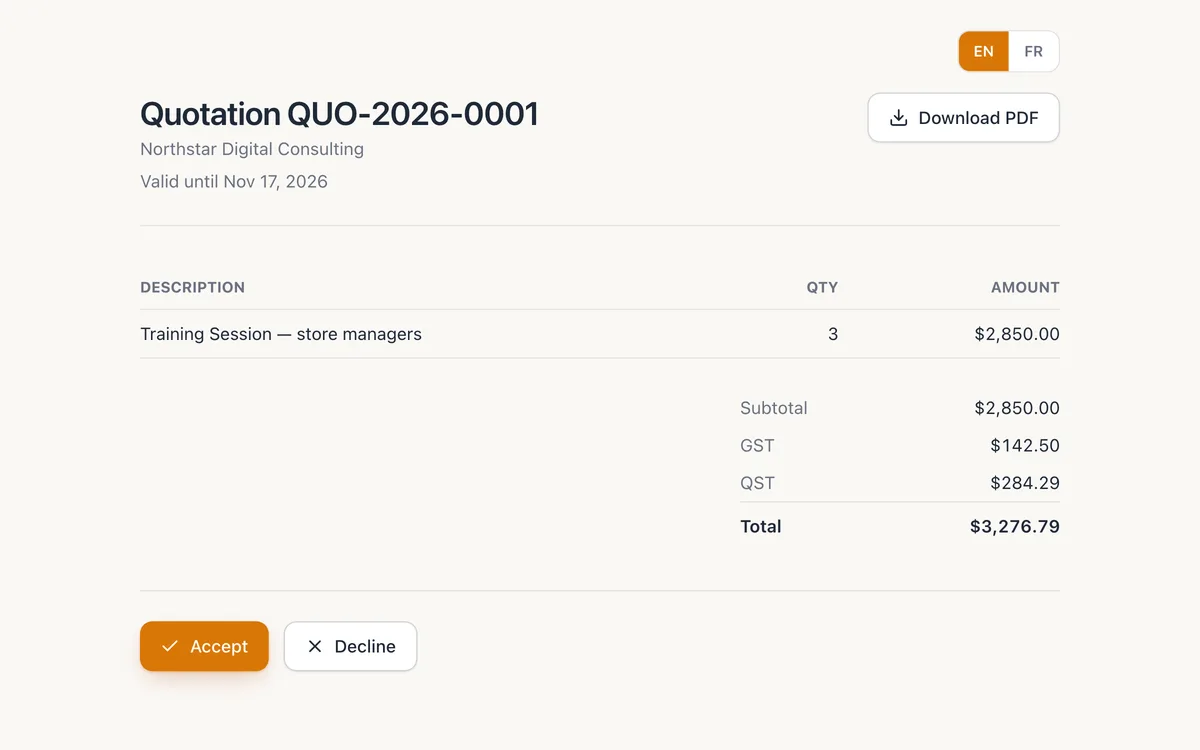
Send a quote with an expiry date. Your client accepts or declines from a secure link — no account needed. One click turns the accepted quote into an invoice, line items intact.
-
A clear lifecycle
Draft, sent, viewed, accepted, declined, expired, converted — visible at a glance in your list.
-
Convert without retyping
Conversion copies the lines and links the quote to the invoice, so you can always trace one to the other.
-
Accept from a phone
Your client opens the link and presses a button. No login, no PDF form, no printing and scanning.
-
Acceptance rate, tracked
See how many of your quotes turn into work, right on the dashboard.
Every client, their balance and their history.
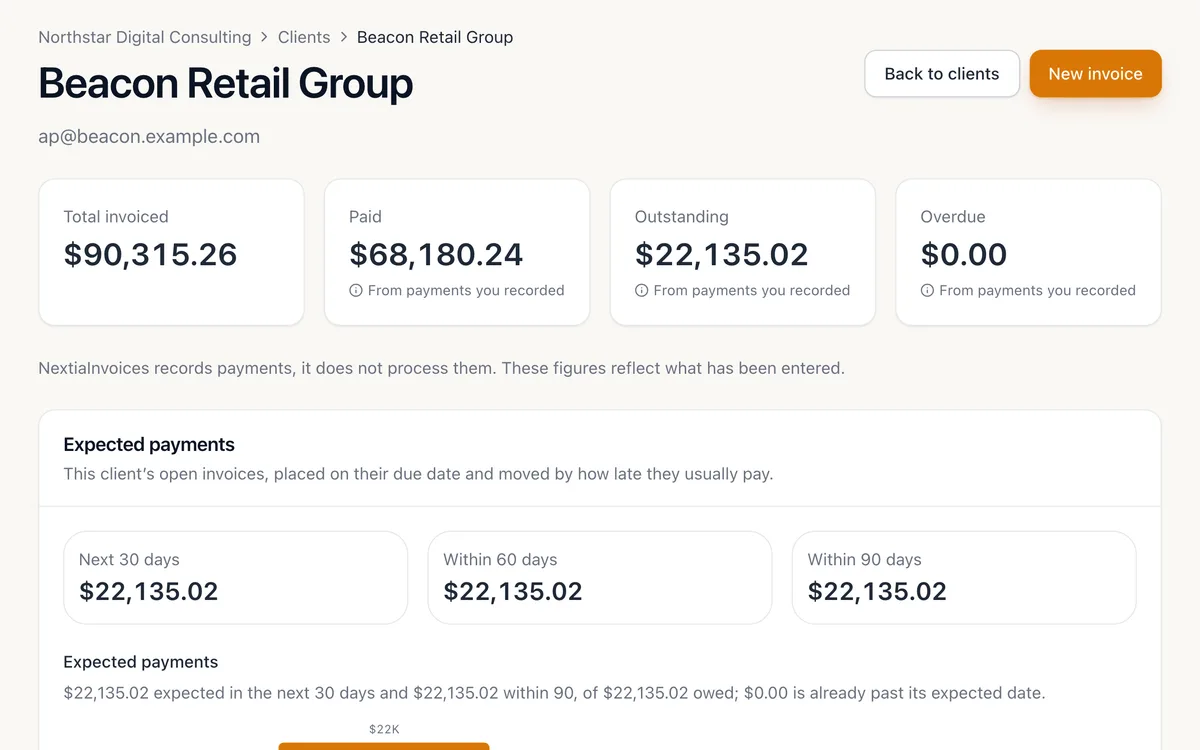
Save the work you sell — by the hour, day, session, item or month — and drop it onto an invoice in a click. Each client keeps their contact details, language, payment terms and a full account history.
-
Statements of account
Produce a statement for any period — what was billed, paid and credited — and email or download it.
-
A client portal
Issue one link that shows a client everything you have sent them and what they owe. Revoke it any time.
-
Your own fields
Add custom fields to clients and choose which ones print on documents.
-
In their language
Set a client to French and their invoices, quotes and emails go out in French — even from an English workspace.
Track the work. Bill the hours.
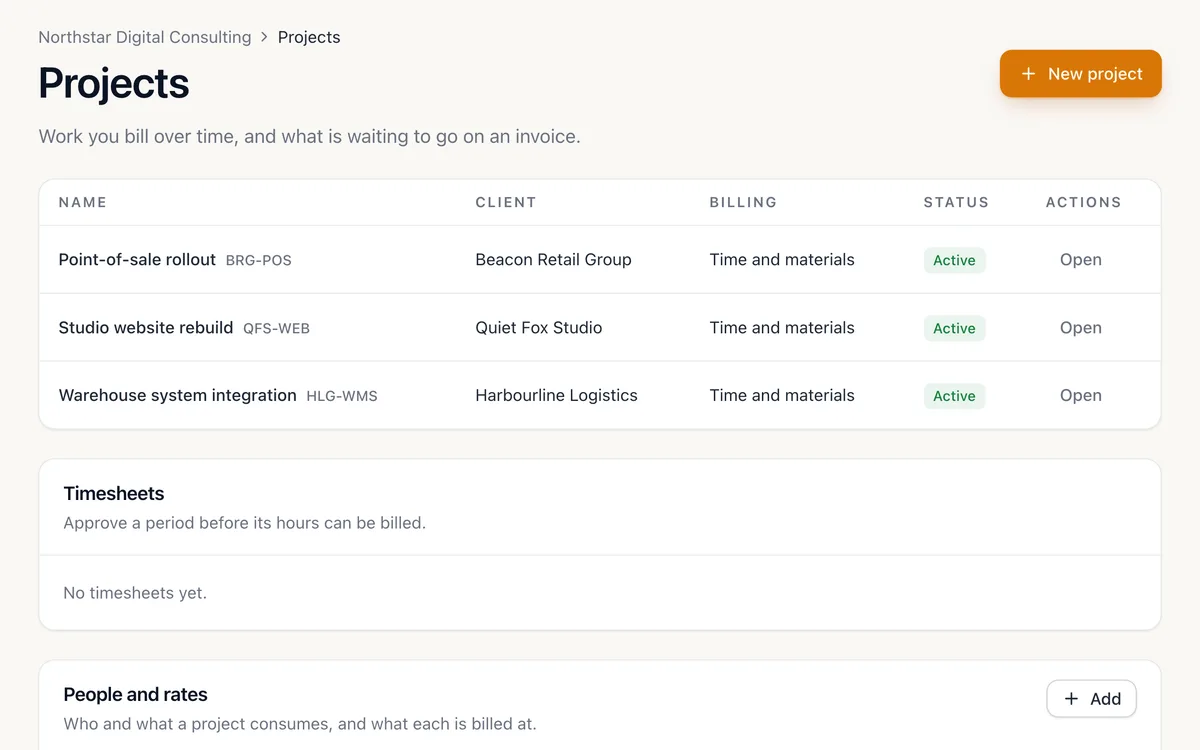
Open a project for a client, log time against it with each person’s rate, add project expenses, and turn approved time into an invoice instead of a spreadsheet.
-
Rates per person
Each person or resource carries a billable rate; time is priced in whole minutes, rounded once.
-
Timesheets and approval
Submit a period, approve it, then bill it — so nothing reaches a client before someone has checked it.
-
Project expenses
Record receipts, equipment and mileage on the project and pass them through to the invoice.
-
Budgets
Set a budget in hours or dollars and see where each project stands.
GST, HST, QST — and anything else you charge.
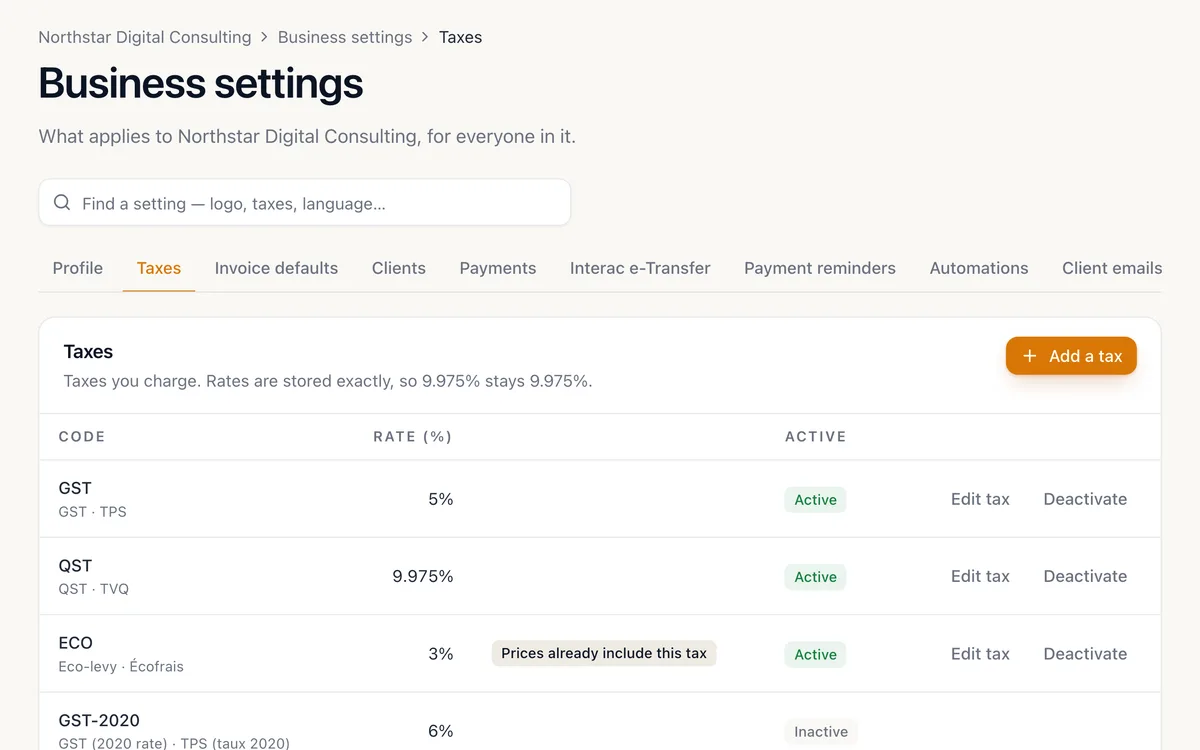
Set up the taxes your business actually charges, with your registration numbers on every document. Inclusive or exclusive, compound or not, with effective dates for rate changes.
-
Per service, per line
A service declares which taxes apply; an invoice line can override it.
-
Registration numbers on the document
Your GST/HST and QST numbers print beside each tax, the way your clients’ bookkeepers expect.
-
Exact money maths
Amounts are integer cents with one documented rounding rule. No floating-point pennies.
-
You confirm every tax
We can suggest the usual taxes for your province. Nothing is applied to your business silently.
Documents that look like you meant it.
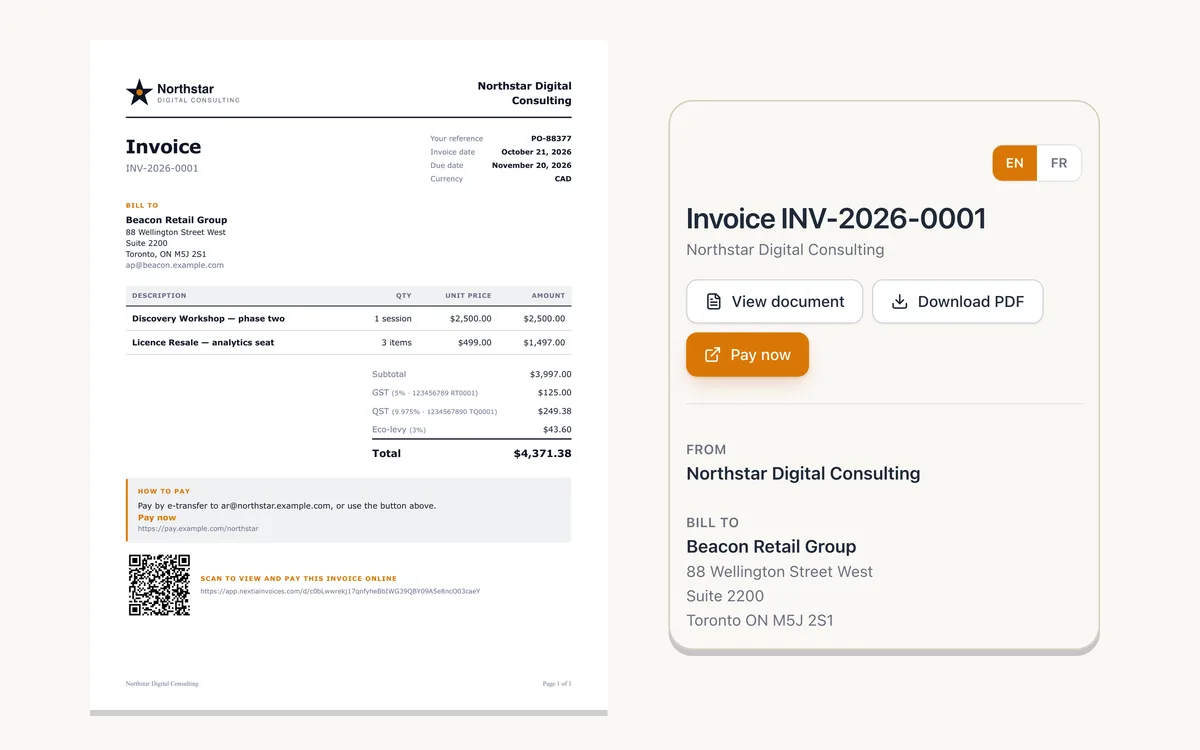
Your logo, colours, terms and footer on a print-ready PDF, emailed from NextiaInvoices with a secure link your client can open on a phone.
-
Brand-aware PDFs
Pick a document design, add your logo and colours. Issued documents keep the version you sent.
-
A secure link, not a public page
Each link is a long random token, stored only as a hash. It shows that one document and can be revoked.
-
Delivery you can see
Know when an invoice was sent and opened, and when a message bounced.
-
English and French
Documents and emails follow your client’s language preference, not yours.
Bill the retainer without remembering to.
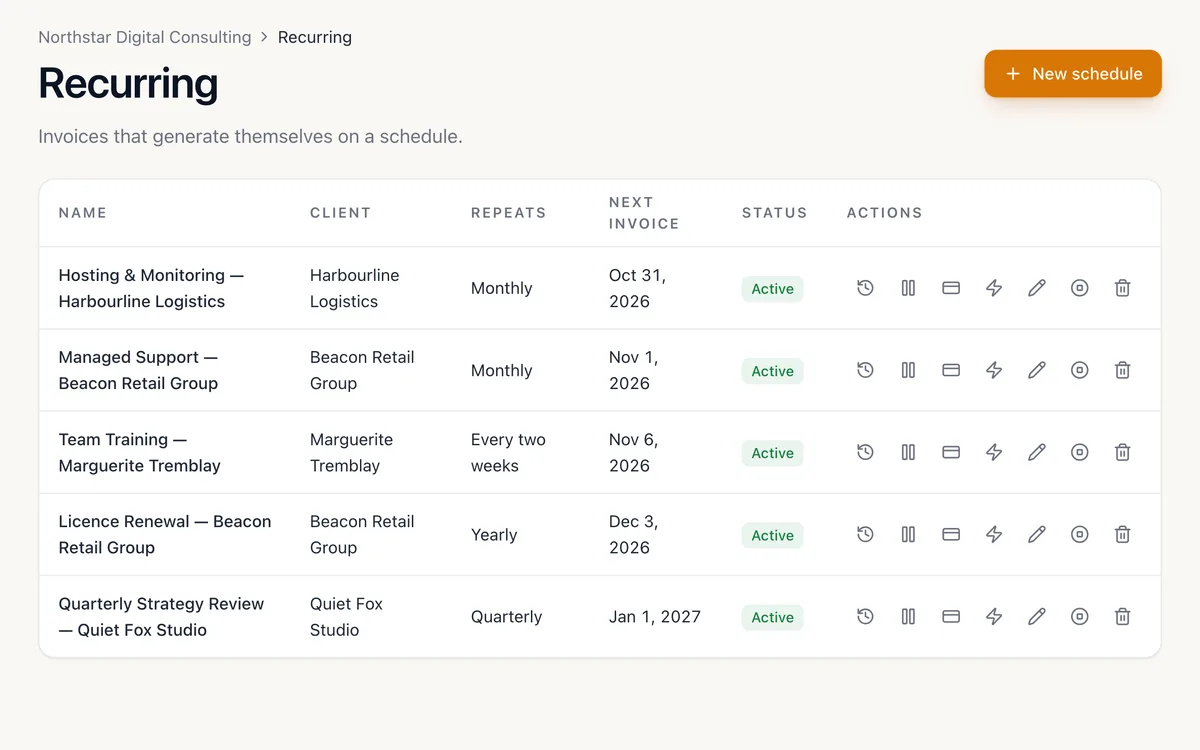
Set a schedule and a due-date rule, then choose whether each run sends itself or waits as a draft. Overdue reminders go out on your schedule, in your business time zone.
-
Any rhythm
Weekly to annual, with a start date, an optional end date and the next run always shown.
-
Generated exactly once
A retried job never means a duplicate invoice.
-
Pause and resume
Put a client on hold and pick up later, with the history intact.
-
Reminders on your terms
Before due, on due, after due. Cap how many go out, with quiet hours respected.
Enough insight to run the business.
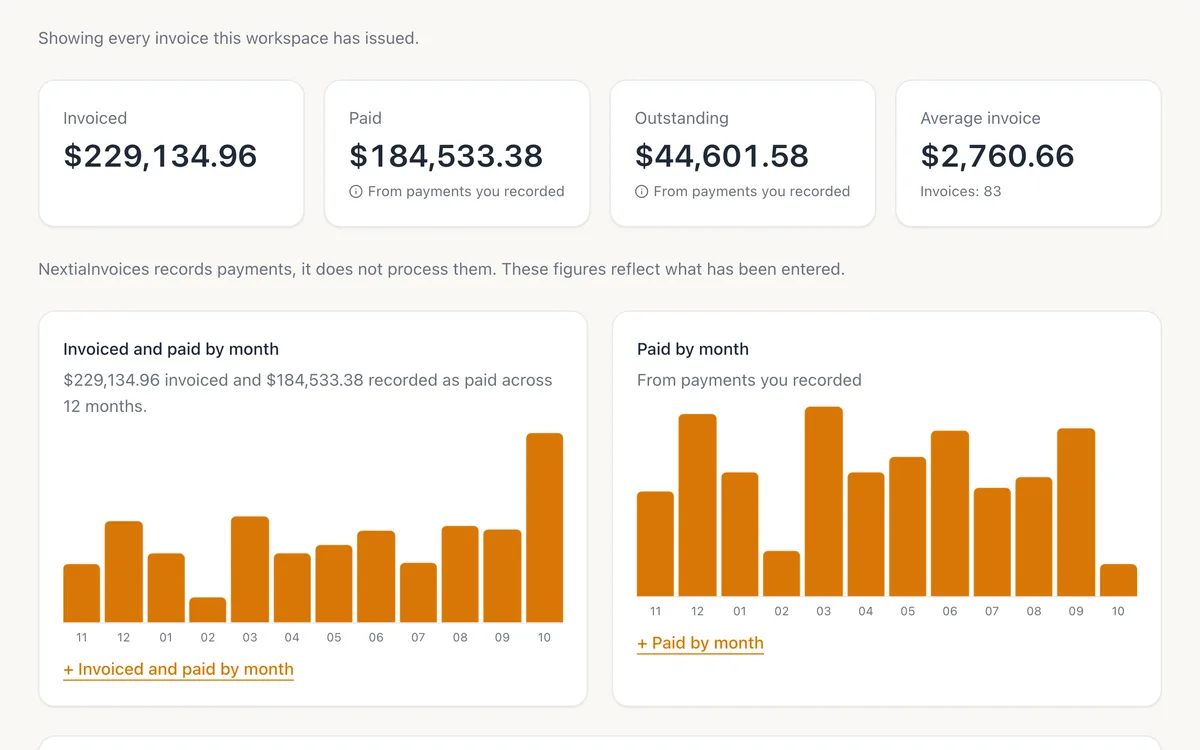
Invoiced, paid, outstanding, overdue — then revenue by month, by client and by service, ageing of what you are owed, and how long clients take to pay.
-
The four totals, first
With a monthly trend and an ageing view of everything outstanding.
-
Filter it down
By date range, client, service, status, currency or who raised it.
-
Hand off to your bookkeeper
Export invoices, lines, payments, credit notes and a tax summary as CSV.
-
Labelled honestly
Figures built from payments you recorded say so.
Bring your team in, with the right access.
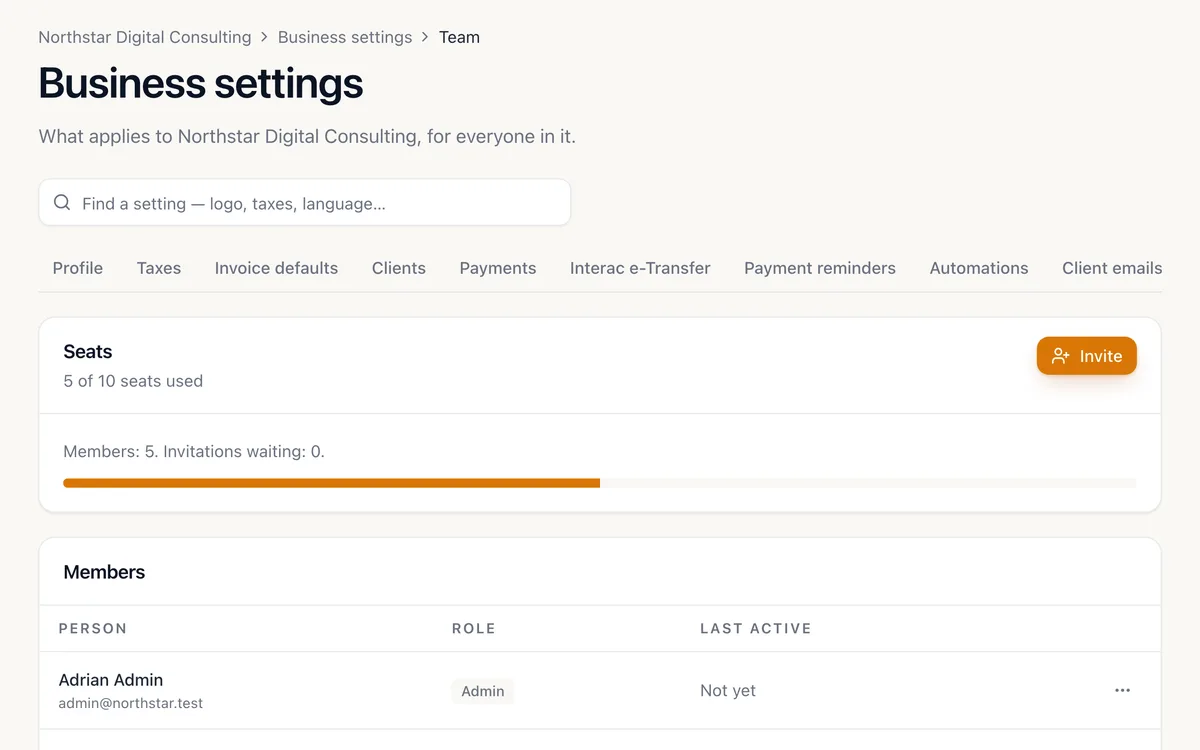
Invite people by email from Starter up; on Pro and Business, give each a role and keep an audit trail. Everyone signs in with their own Nextia account, and the same person can hold different roles in different businesses.
-
Five roles
Owner, administrator, manager, staff and viewer — enforced on the server, not by hiding buttons.
-
Businesses kept apart
Each business is a separate workspace. Switching is a click; seeing across them is impossible.
-
An audit trail
Who issued, sent or changed what, recorded with the change itself.
-
Guardrails
A business can never lose its last owner.
Describe the work. Get a draft invoice.
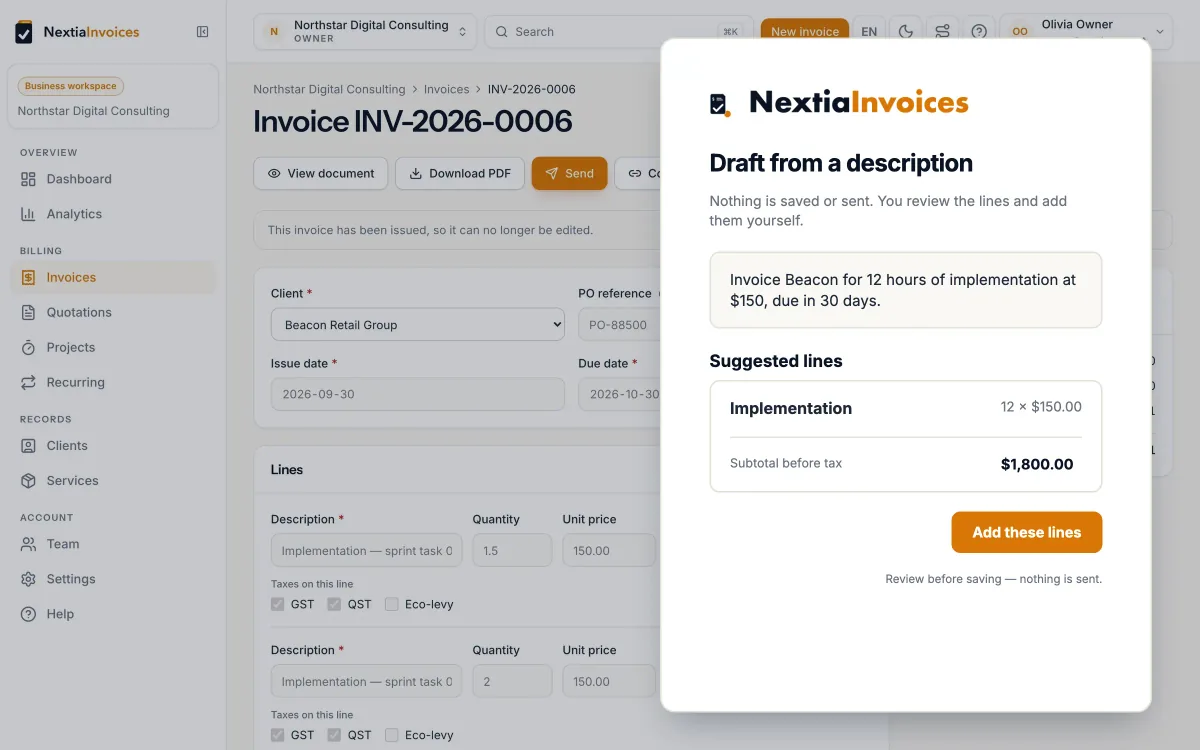
Type what you did in plain words and get a structured draft — client, lines and quantities — to review before anything is saved. Nothing financial happens without you.
-
Draft from a sentence
“Invoice Beacon for 12 hours of implementation, due in 30 days.” You see the full draft first.
-
Never sends on its own
AI output never issues or sends a document, and never changes an amount, tax, date or client by itself.
-
Allowance by plan
25, 200, 500 or 1,000 AI actions a month on Free, Starter, Pro and Business.
-
Optional
Every invoicing workflow works without it.
The things you only notice when they are missing.
Underneath the features is a set of decisions that do not photograph well but decide whether you trust the product with your billing.
Fast, keyboard-friendly, modern
The experience is closer to Linear or Stripe Dashboard than to an accounting application. It should feel quick enough that invoicing stops being a chore you postpone.
Works on the phone you have
The web app is fully responsive, so you can create and send an invoice from a job site. Native iOS and Android apps are coming soon.
Accessible by default
Keyboard navigation, visible focus, screen-reader labels, and status never signalled by colour alone. Light and dark themes.
English and French, first-class
Both languages ship together — interface, invoice and quotation documents, and every customer-facing email. A missing translation fails the build rather than reaching a client.
Money maths that is actually correct
Amounts are integer cents with a documented rounding rule applied once per row, backed by an extensive tax-calculation test suite. Floating-point cent errors are designed out.
Your history stays true
Invoices keep snapshots of the client, the line items, the taxes and the payment link as they were when you sent them. Editing today never rewrites last year.
Your first invoice in under five minutes, from opening day.
Set up your business, add a service, and bill a client — all before your coffee gets cold.
Free plan, forever · 14-day Pro trial, no credit card · Nothing locked or deleted when it ends